Declutter Your Life: 7 Best Uses for Printable Planner Stickers (and How to Print Them)
Transform your chaotic schedule into an organized masterpiece using printable planner stickers. Discover 7 creative uses and learn how to print them at home.
Heather Middleton
October 16, 2026
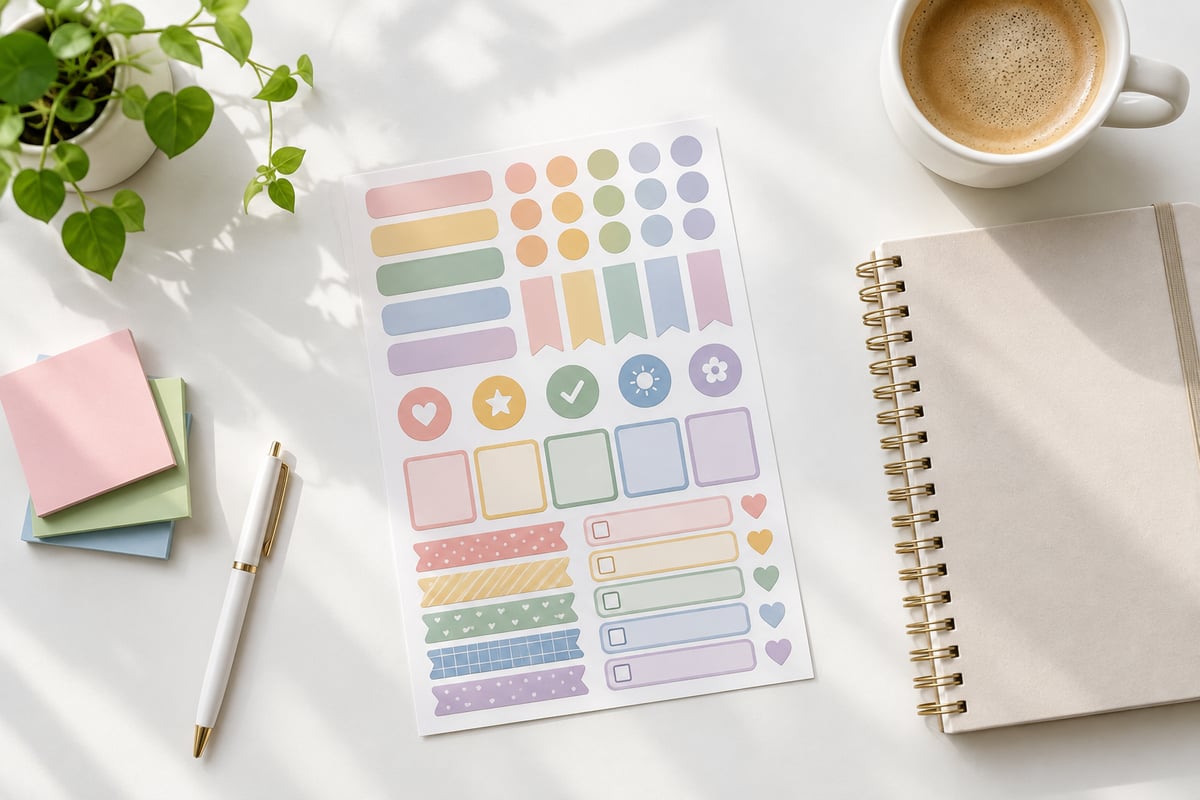
Using printable planner stickers offers the ultimate, budget-friendly tool to bridge this gap, letting you design a highly functional planning system on your own terms. Rather than buying expensive, mass-produced sticker books that only partially fit your style, printing your own allows you to customize your planner to match your unique daily rhythms and aesthetic tastes.
This guide covers the behavioral science behind why visual planning works, shares seven creative ways to organize your life with printables, and reveals practical scaling and cutting techniques to get professional results on a budget.
The Science of Planning: Why Your Brain Craves Visual Cues
Our brains were not designed to hold an infinite list of open loops, deadlines, and domestic chores. When we attempt to store everything in our heads, we experience cognitive overload, leading to decision fatigue and increased cortisol levels.
Offloading Your Cognitive Load
By writing down your tasks and using visual markers, you are practicing what cognitive scientists call "cognitive offloading." A recent peer-reviewed study on intention offloading published in SAGE Journals demonstrates that externalizing our intentions onto physical mediums significantly reduces the working-memory load required to carry out future tasks.
When you use calendar organization stickers, you create clear physical land markers on the page. Your eyes instantly recognize color-coded categories, saving your brain from processing a wall of messy handwriting.
The Dopamine Reward Loop
There is a distinct neurological satisfaction that comes from physically marking a task as complete. According to research on the neuroscience of habit tracking published in Psychology Today, the act of recording progress visually acts as an immediate reward.
Placing a tiny checkmark, star, or habit tracker sticker on your layout triggers a micro-dose of dopamine. This positive reinforcement loop makes your brain want to repeat the productive behavior, slowly transforming difficult goals into effortless daily routines.
[Trigger] ➔ [Behavior] ➔ [Apply Visual Sticker] ➔ [Dopamine Release] ➔ [Habit Reinforced]
Mental Health & Visual Chunking
Large, ambiguous projects easily trigger procrastination. Visual chunking—the process of breaking down a massive project into bite-sized, color-coded steps—makes daunting milestones look achievable.
Transforming a scary headline like "File Taxes" into beautiful, structured color blocks shifts your perspective from panic to action. It changes planning from an intimidating chore into a calming, grounding ritual of self-care.
7 Best Ways to Use Printable Planner Stickers for Stress-Free Organization
At SelfLoveJourney33, we believe that planning shouldn't feel like a high-stakes art competition. You don't need a flawless, social-media-perfect layout for your planner to be successful.
Instead, focus on utility, personal taste, and layouts that support your personal cognitive style. Here are seven highly effective, practical ways to use printable stickers in your daily setup.
1. Dynamic Habit Tracking
Instead of redrawing habit grids every week, a habit tracker stickers printable simplifies your workflow. Place a small grid directly in your weekly spread to log hydration, daily walks, reading time, or meditation.
- Actionable Tip: Use mini checkbox stickers that match your weekly theme. This saves margins for writing while keeping your goals front and center.
2. Low-Stress Mood Logs
Tracking your mental health shouldn't require writing pages of journaling if you don't have the energy for it. Create a simple mood-key sticker at the start of the week using distinct colors.
- Actionable Tip: Assign muted, earthy tones to different emotional states (e.g., sage green for peaceful, warm terracotta for high energy, dusty slate for fatigued). Pop a small color dot on each calendar day to spot weekly patterns at a glance.
3. System Pivots & Mistake Management
One of the biggest obstacles to physical planning is "blank page anxiety"—the fear of ruining a beautiful layout with a mistake or a canceled plan.
- Actionable Tip: Don't scribble out changes with a messy pen. Use solid color block stickers (often called "washi strips" or "half boxes") to cover up schedule changes beautifully. It turns a frustrating mistake into a fresh, clean slate.
4. High-Priority Highlight Zones
If everything on your page is highlighted, nothing is. Keep your eyes drawn to what actually matters by designating a "Top 3" area on your daily layout using distinct visual borders.
- Actionable Tip: Use bold, minimalist label stickers at the top of your page specifically reserved for your non-negotiable tasks. Let your secondary tasks sit in unadorned, simple lists below.
5. Aesthetic Theming
Who says functional planning has to look boring? Incorporating cohesive themes into your calendar brings a sense of joy and artistic self-expression to your routine.
Whether you love cottagecore vibes, whimsical witchy designs, botanical illustrations, or cozy seasonal patterns, matching your planner's aesthetic to your current mood makes opening your notebook a comforting experience.
| Aesthetic Theme | Color Palette Examples | Best Used For |
|---|---|---|
| Cottagecore | Warm amber, forest green, soft cream | Slow living goals, gardening, baking |
| Botanical | Sage, olive, dusty rose, eucalyptus | Wellness tracking, self-care routines, water intake |
| Witchy / Celestial | Deep plum, midnight blue, gold accents | Intention setting, lunar cycles, evening reflection |
| Minimalist Vintage | Sepia, parchment, charcoal, slate | Work projects, financial tracking, structured time-blocks |
To find unique, budget-friendly designs that balance practical structures with hand-illustrated charm, browse our complete selection of digital assets on our website.
6. Time-Blocking Boundaries
If you struggle with overcommitting your time, use functional planner stickers printable rectangular outline strips to visually bound your days.
- Actionable Tip: Lay down a clear, semi-transparent or light-colored rectangular sticker over a 3-hour block to denote "Deep Work" or "Do Not Disturb." Guarding your time visually prevents you from overbooking those hours with minor errands.
7. Milestone & Gift Reminders
It is easy to forget upcoming birthdays and anniversaries until the day of. Dedicated sticker zones can act as a warning system.
- Actionable Tip: Place a small, decorative gift or balloon icon sticker exactly one week before a loved one's birthday. This serves as a physical reminder to write a thoughtful card or select a personalized gift without the last-minute panic.
Paper Selection: Solving the Smudge and Adhesion Dilemma
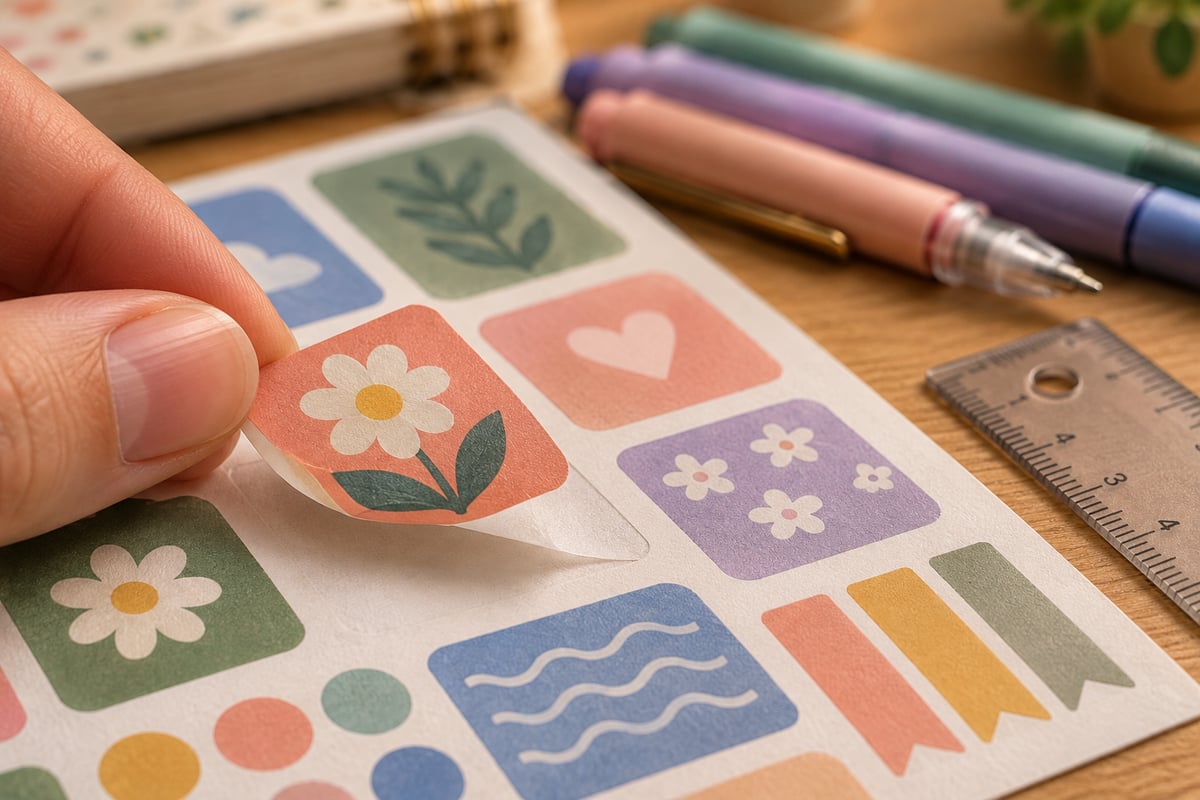
You’ve found the perfect printable planner stickers pdf, but printing them on the wrong paper can result in smudged ink, peeling corners, or torn planner pages. Understanding your paper materials is key to achieving a professional finish at home.
Refer to this breakdown of standard sticker paper types, influenced by the expert sticker paper material guide by OnlineLabels, to choose the right medium for your writing tools:
                  ┌──────────────────────────────┐
                  │  Choose Your Sticker Paper   │
                  └──────────────┬───────────────┘
                                 │
         ┌───────────────────────┼───────────────────────┐
         ▼                       ▼                       ▼
┌─────────────────┐     ┌─────────────────┐     ┌─────────────────┐
│  Standard Matte │     │  Glossy Finish  │     │ Clear Silhouette│
├─────────────────┤     ├─────────────────┤     ├─────────────────┤
│• Best for pens  │     │• Vibrant colors │     │• Seamless look  │
│• Quick absorbing│     │• Hard to write  │     │• Best for icons │
│• Zero smudging  │     │• Needs permanent│     │• Shows paper    │
│                 │     │  fine-liners    │     │  underneath     │
└─────────────────┘     └─────────────────┘     └─────────────────┘
Matte Sticker Paper (The Planner Favorite)
Matte paper is the undisputed king of functional planning. Because it lacks a plastic coating, it absorbs ink quickly.
- Best For: Habit trackers, writing blocks, daily schedules, and lists.
- Pen Compatibility: Works beautifully with gel pens, felt-tips, highlighters, and ballpoints. Zero drying time required.
Glossy Sticker Paper
Glossy paper offers stunning color saturation and crisp, photo-like contrast.
- Best For: Purely decorative elements, holiday themes, and vibrant planner decoration stickers.
- Pen Compatibility: Limited. Standard gel pens and water-based ink will smear. If you need to write on glossy stickers, you must use a permanent fine-liner (like a Sharpie Ultra Fine) and let it dry for several seconds.
Clear / Transparent Sticker Paper
Clear sticker sheets allow the background grid or dot matrix of your planner pages to show through, creating a seamless, "printed-directly-on-the-page" look.
- Best For: Small icons, botanical elements, decorative borders, and quotes.
Repositionable (Removable) Adhesive
Standard sticker papers use permanent adhesive. Once placed, trying to move them will rip your planner pages. If you have "sticker anxiety" or your schedule changes constantly, look for sheets explicitly labeled "Repositionable" or "Removable Matte." This specialty backing allows you to peel and relocate your stickers multiple times without leaving residue or tearing paper.
The Scaling Math: Fitting PDFs and PNGs to Popular Planners
A common point of frustration is downloading a gorgeous printable file, only to realize the sizing doesn't fit your specific planner's columns. Most digital files are delivered as standard US Letter (8.5" x 11") or A4 documents.
Thankfully, you don’t need to buy a different file for every planner size. By adjusting the "Scale" percentage in your print settings, you can resize printables to fit almost any popular system.
Use this quick-reference scaling table, based on the Happy Planner custom scaling ratio guide by Planning Inspired, to adjust your print setup:
| Target Planner Dimensions | Common Brand Examples | Scale Percentage from US Letter |
|---|---|---|
| Classic Happy Planner (7" x 9.25") | Happy Planner Classic | 82% - 84% (Select Custom Scale in Print Menu) |
| A5 Size (5.83" x 8.27") | Leuchtturm1917, Archer & Olive, Filofax A5 | 70% (Or select "Fit to Page" with A5 paper loaded) |
| Personal Size (3.75" x 6.75") | Filofax Personal, Kikki K Medium | 45% |
| Half Letter (5.5" x 8.5") | Franklin Covey Classic, Discbound Half-Letter | 64% |
PDF vs. PNG: Which File Type Should You Use?
When downloading printables, creators generally offer assets in two formats. Understanding the difference prevents blurry prints:
- Printable Planner Stickers PDF: Best for physical printing. PDF layouts preserve exact vectors, page margins, and text crispness. Always print PDFs at "100% Scale" (unless resizing using the table above) and turn off "Fit to Page" to prevent your printer from stretching the designs.
- Digital Planner Stickers PNG: Best for digital planners (like GoodNotes or Notability) or craft cutting machines. PNGs feature transparent backgrounds, making them easy to import as individual digital elements. However, if printed directly from a basic image viewer, PNGs can scale unpredictably and lose sharpness.
How to Print and Cut Sticker Sheets at Home Without Special Machines
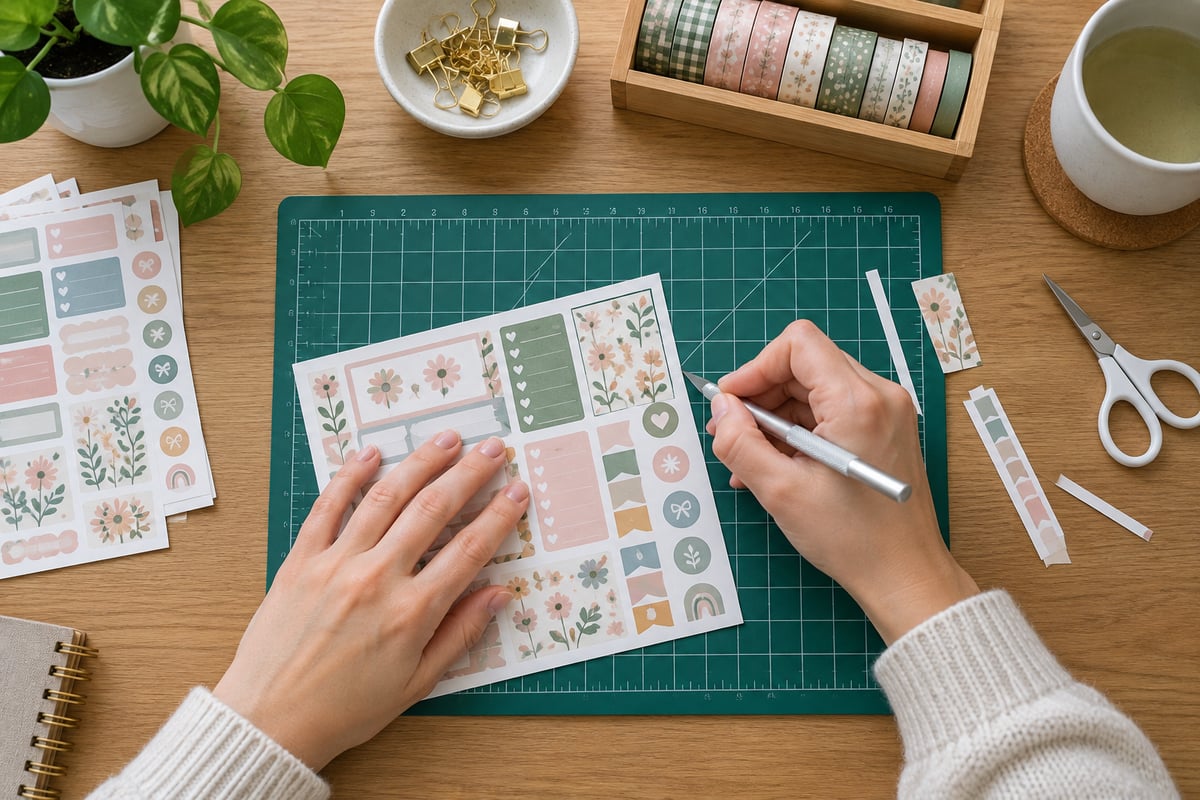
You do not need an expensive cutting machine like a Cricut or Silhouette to make high-quality, custom planner accessories. With a small upfront investment in basic craft tools, you can easily create clean, crisp sheets on your own.
       [Gather Tools]
             │
             ▼
[Print at 100% / High Quality]
             │
             ▼
[Align Metal Ruler to Grid Lines]
             │
             ▼
[Apply Light Craft Knife Pressure]
             │
             ▼
    [Check Clean Peel]
Step-by-Step DIY Printing and Cutting Guide
Step 1: Optimize Your Printer Settings
Load your sticker paper into your printer's rear tray if available (this prevents the thick paper from bending too sharply). In your computer's print dialog menu, adjust these settings:
- Paper Type: Set to "Matte Photo Paper" or "Premium Presentation Matte" (even if using cheap sticker sheets). This tells your printer to lay down more ink for deep, rich colors.
- Print Quality: Select "High" or "Best." Avoid draft modes, which cause visible horizontal banding lines.
Step 2: Let the Ink Cure
Before cutting, let your printed sheets sit for at least 2 to 3 minutes. Fresh ink can feel dry to the touch but still smudge when subjected to the friction of a metal ruler or blade.
Step 3: Master the "Kiss-Cut" Method (Manual Style)
A "kiss-cut" means slicing through the top adhesive sticker layer while leaving the backing paper completely intact. This allows you to easily peel individual stickers off the sheet later.
- The Tools: You'll need a self-healing cutting mat, a steel ruler (non-slip backing is best), and a sharp craft utility knife (like an X-Acto blade or a ceramic-tipped precision cutter).
- The Technique: Position your metal ruler along the straight edge of your sticker shapes. Hold the ruler down firmly with your non-dominant hand. Hold your craft knife at a 45-degree angle. Apply very light pressure as you glide the blade along the ruler.
- The Test: Test your pressure on a blank corner first. If you cut all the way through the backing sheet, lighten your touch. It takes a little practice, but your muscles will quickly memorize the exact pressure needed.
An Honest Word on Home Printing Trade-offs
At SelfLoveJourney33, we believe in being entirely transparent about the DIY process. While printing your own planner stickers is incredibly flexible and highly satisfying, it does come with realistic trade-offs:
- Monitor Calibration: The colors you see on your backlit computer or phone screen will always look slightly different when printed onto flat paper. Screens use light (RGB) to make vibrant colors, while home printers use physical ink (CMYK). Expect your prints to look slightly warmer or more muted than they do on screen.
- The Ink Cost Factor: High-quality color printing eats up ink cartridge reserves. If you print dozens of full-color sheets monthly, consider investing in a tank-based printer system (like an Epson EcoTank), which drastically reduces long-term ink costs compared to standard cartridges.
Your Weekly Planning Checklists
Ready to get started? Use this simple checklist to keep your projects organized and stress-free:
Step 1: Prep & Sizing
- Identify your target planner's physical column widths.
- Select your file format (printable planner stickers pdf for printing, digital planner stickers png for digital layouts).
- Calculate your print scale percentage if resizing for smaller layouts.
Step 2: Paper & Ink Settings
- Match your writing pens to the correct paper type (matte for gel/felt-tips, glossy for permanent liners).
- Load sticker paper into the correct paper tray.
- Adjust print settings to "Premium Matte" and "High Quality."
- Let the printed sheets dry completely before handling.
Step 3: Cutting & Organization
- Gather a self-healing mat, a metal ruler, and a fresh craft blade.
- Practice the "kiss-cut" technique on a test border.
- Cut, peel, and organize your layouts!
Find Your Next Creative Spark
Organizing your life is a deeply personal journey of self-discovery and mindfulness. Your planner should serve your daily rhythm, ease your mental burden, and feel like a cozy, comforting retreat from the digital noise.
If you are looking to customize your next weekly spread with whimsical botanical themes, cottagecore aesthetics, cozy designs, or practical tracking layouts, we invite you to explore our printable creations. Each design is crafted to bring joy, warmth, and easy utility back into your daily organization rituals.